 Merge
Merge screenshots
Join screenshots of a chat, recipe, or long page into a single image.
Your screenshots
Drop screenshots here
Or paste from your clipboard.
Your screenshots stay on your device.
Drag to reorder, or use the arrow keys on a move button.
Preview
Waiting for images
Your merged image appears here.
Example
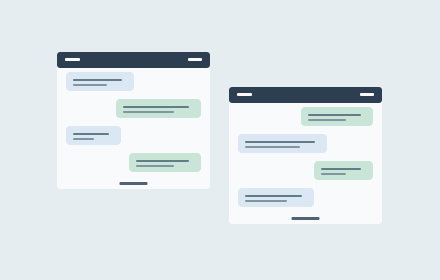

Tips
- Capture screenshots in reading order so they are easy to sort.
- Use Auto trim to detect matching rows. Adjust the top and bottom sliders on individual screenshots if a status bar or a repeated message remains.
- Keep the gap at zero for a continuous stack, or add space to mark each screenshot.
Frequently asked questions
Will MergeJPEG remove overlapping content?
Auto trim looks for identical rows. For animated content or changing headers, use the top and bottom sliders and check the seam in the zoomed preview.
Should I save screenshots as PNG or JPG?
PNG preserves sharp text and flat colors without JPEG compression. JPG can make a smaller file when size matters.